DREAMHELPERGHOST · Runs on our server
Never miss a day's rewards,
even without opening the game.
Our server collects your GarPa daily rewards and grinds every chart in batches toward Clear, Full Combo or All Perfect. The grind carries on with the app closed.
Add, pick, close.
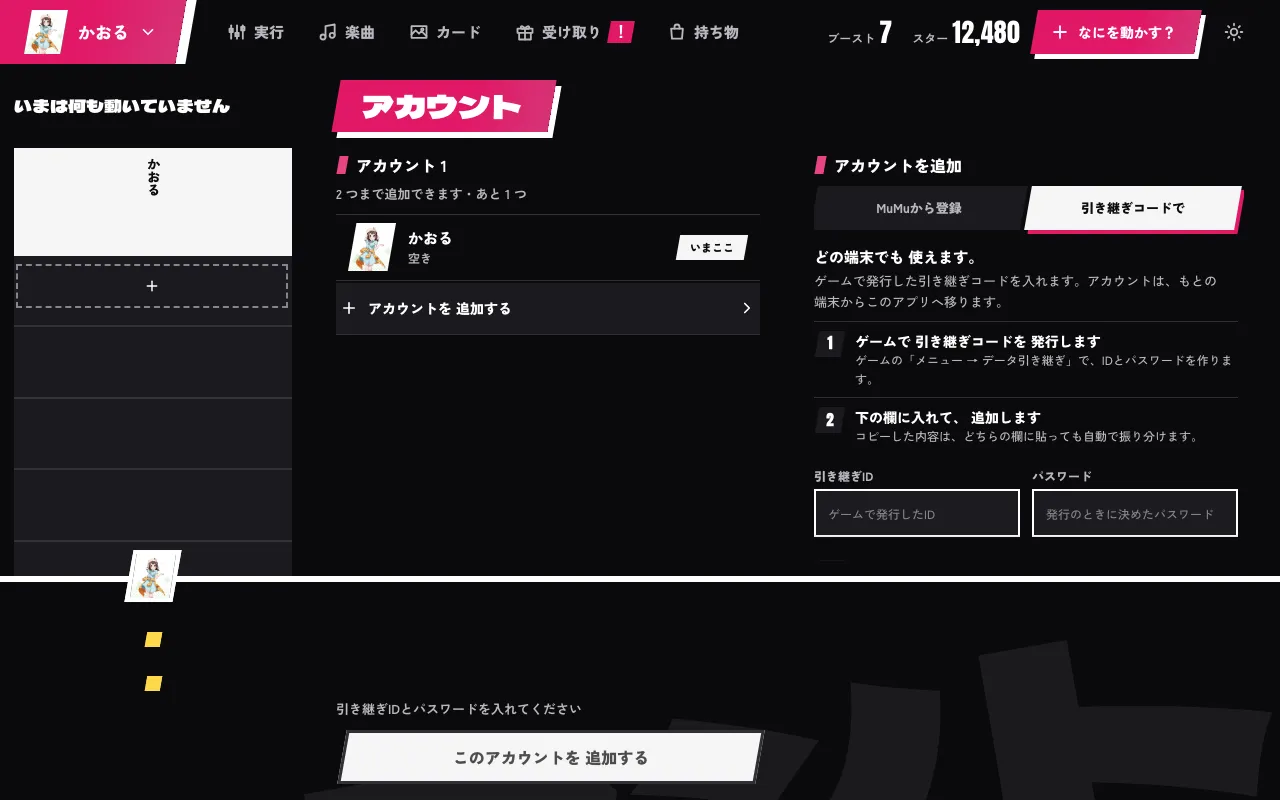
Add an account with a transfer ID
Enter the transfer ID and password issued in the game. This moves the account to our server. To keep playing on your own device as well, add the account by reading it from a device that is logged in to the game instead (MuMu Player settings).
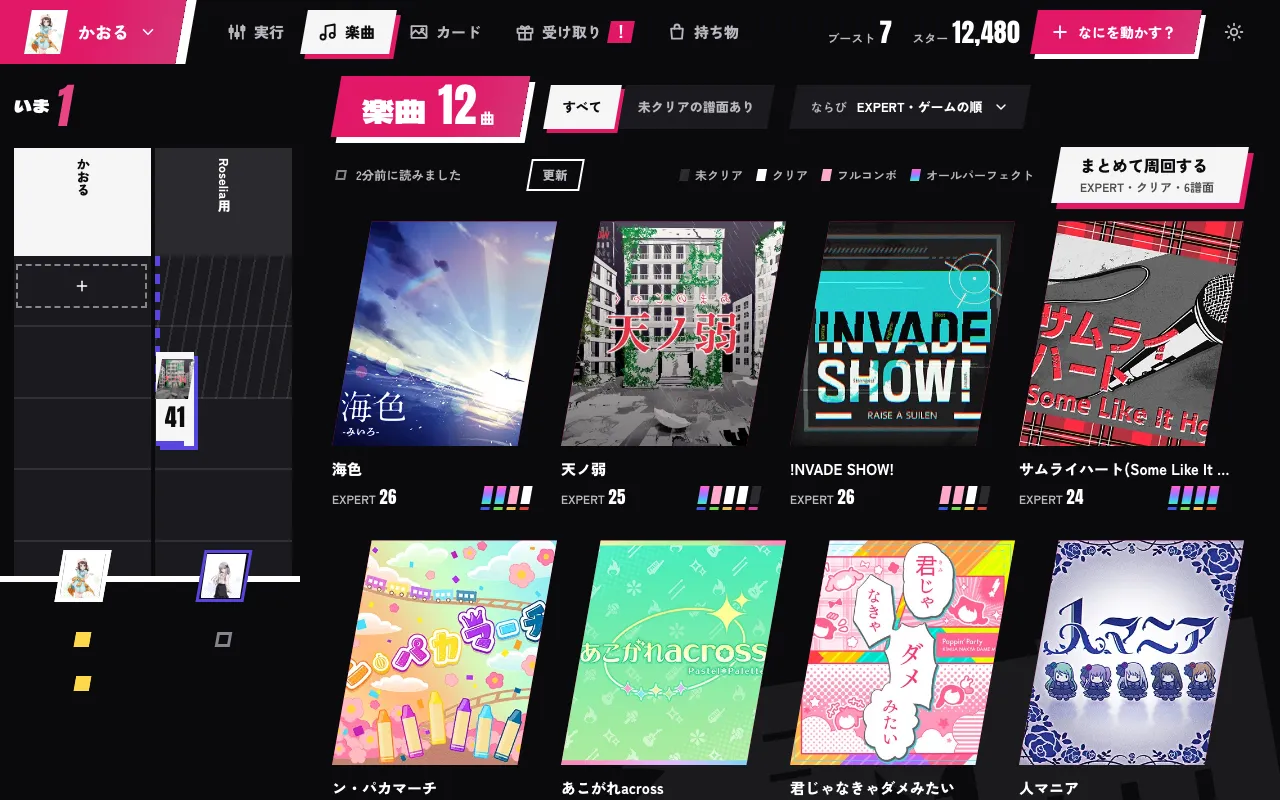
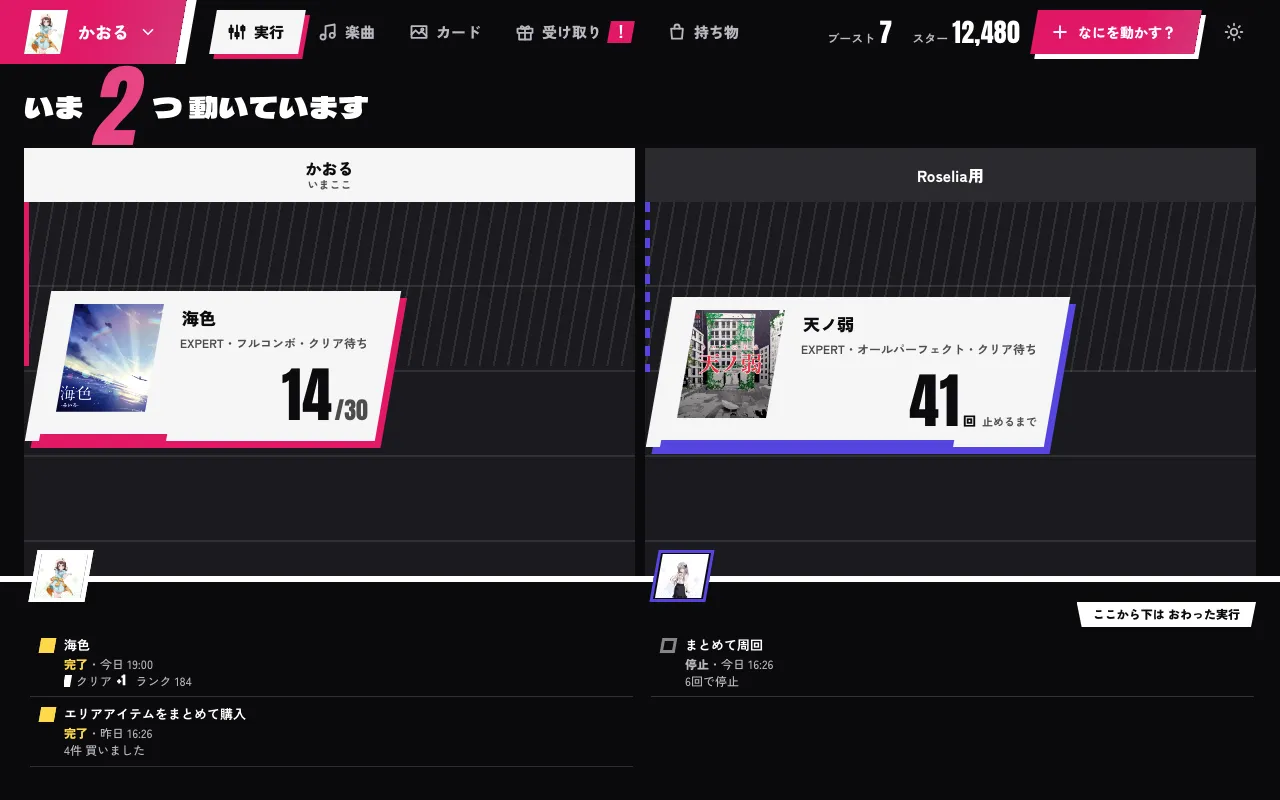
Pick songs, it plays them in a row
Pick from the song list to start grinding. You can also set a goal and grind every chart in one batch. Once started, the server carries on.
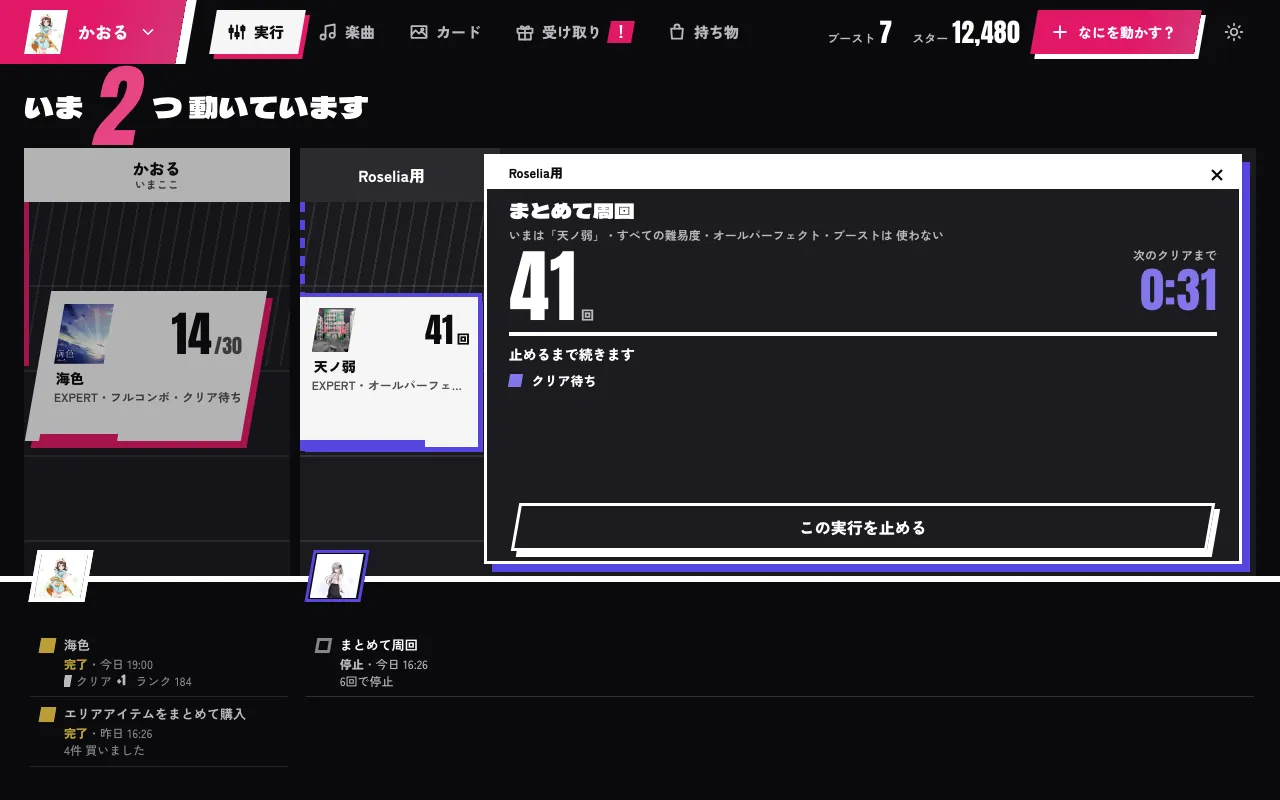
See exactly how far it is
Which round and which song. Open it and you see where it stands.
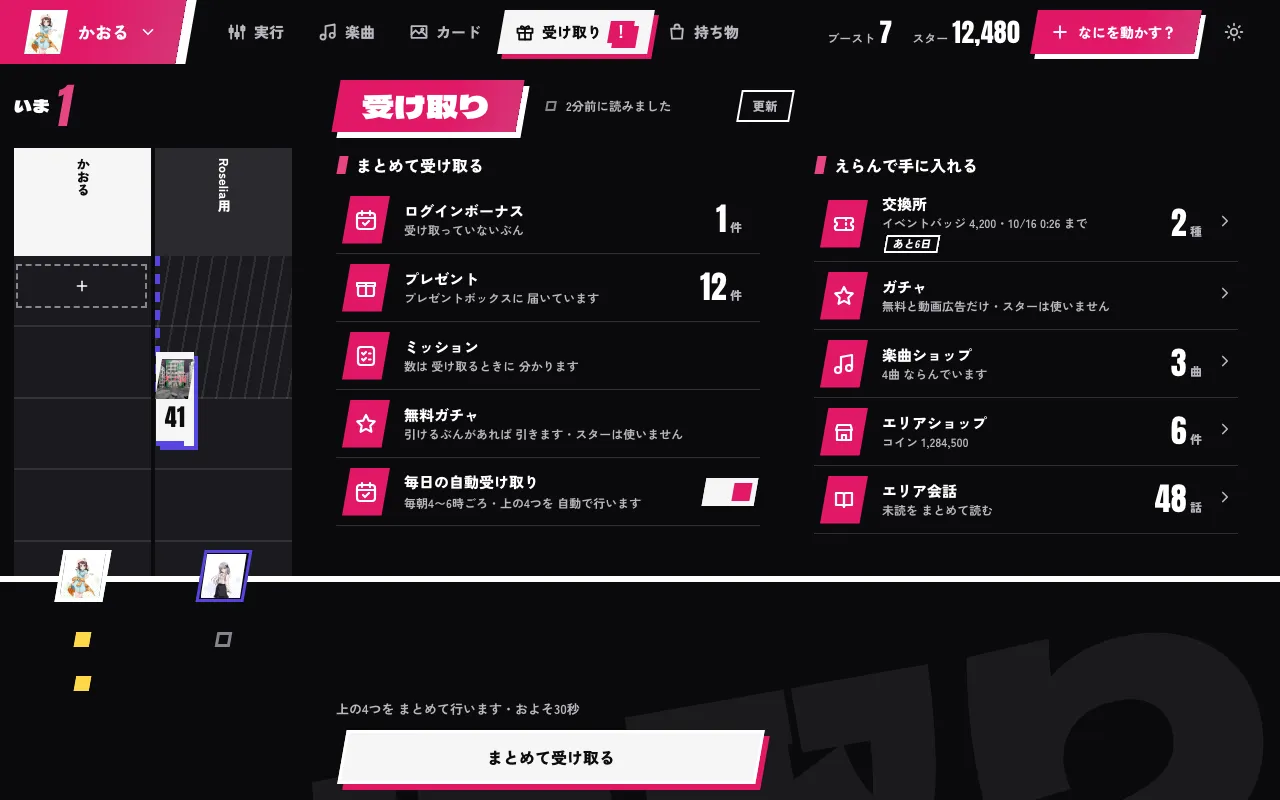
Daily rewards, collected every day
With "Daily auto-collect" on, login bonuses, the present box, mission rewards and the free gacha (free and ad slots only; stars are never used) are collected every day. If you want them now, press one button.
Closing it does not stop it
Daily rewards and grinds started from the app run on our server. They go on after you close the app.
What it does
Daily collection and grinding
- Collect everything: login bonuses, presents, missions, free gacha (free and ad slots only; stars are never used)
- With "Daily auto-collect" on, the server collects them every day
- Batch grind: every chart toward Clear / Full Combo / All Perfect. Once through, or repeated up to 5000 times
- A single song loops up to 100 times
- Two accounts can run at the same time
Other features
- Daily live bonus choice (coins, costume materials, stars)
- Card level, skill, training and limit break; deck changes
- Song shop: "Buy all"
- Area items bought, upgraded and placed; area conversations read in bulk
- Event exchange
Not included
- An S Rank goal
- Challenge Live
- Stories other than area conversations
- Multi Live, ranked matches
- Paid gacha
Requirements
- Control app: Windows or Android
- Servers: Japan
- Up to 2 accounts per license
- Only when you add an account from a device: MuMu Player with root and a writable system disk enabled (setup guide)
- Adding an account: transfer ID and password (no emulator needed), or reading it from a device (MuMu Player on Windows, a rooted device on Android)
- No need to keep a PC or the app open
Subscribe and get started
Subscribe with a monthly Patreon membership. Then open the receive page, sign in with Patreon and link your Discord account on the same page. Once linked, it is ready to use.
Download the control app from the account page and sign in with the Discord account you linked.
DreamHelperGhost has no free trial.
FAQ
What happens to my device if I add the account with a transfer ID?
The account moves to our server, so it is signed out of the original device. To keep playing on that device as well, add the account by reading it from a device that is logged in to the game. The settings it needs are in the MuMu Player setup guide.
Does it really keep running after I close the app?
Yes. Daily rewards and runs started from the app go on on our server, so closing the app or your PC does not stop them.
How many accounts can I use?
Up to 2 accounts per license.
Which servers does it support?
Supported servers: Japan.
Can I try it for free?
DreamHelperGhost has no free trial.